
Case Study
From Static Mockups to Live Prototypes
How I eliminated the design-to-code gap using AI-assisted workflows that deliver working prototypes in hours instead of weeks
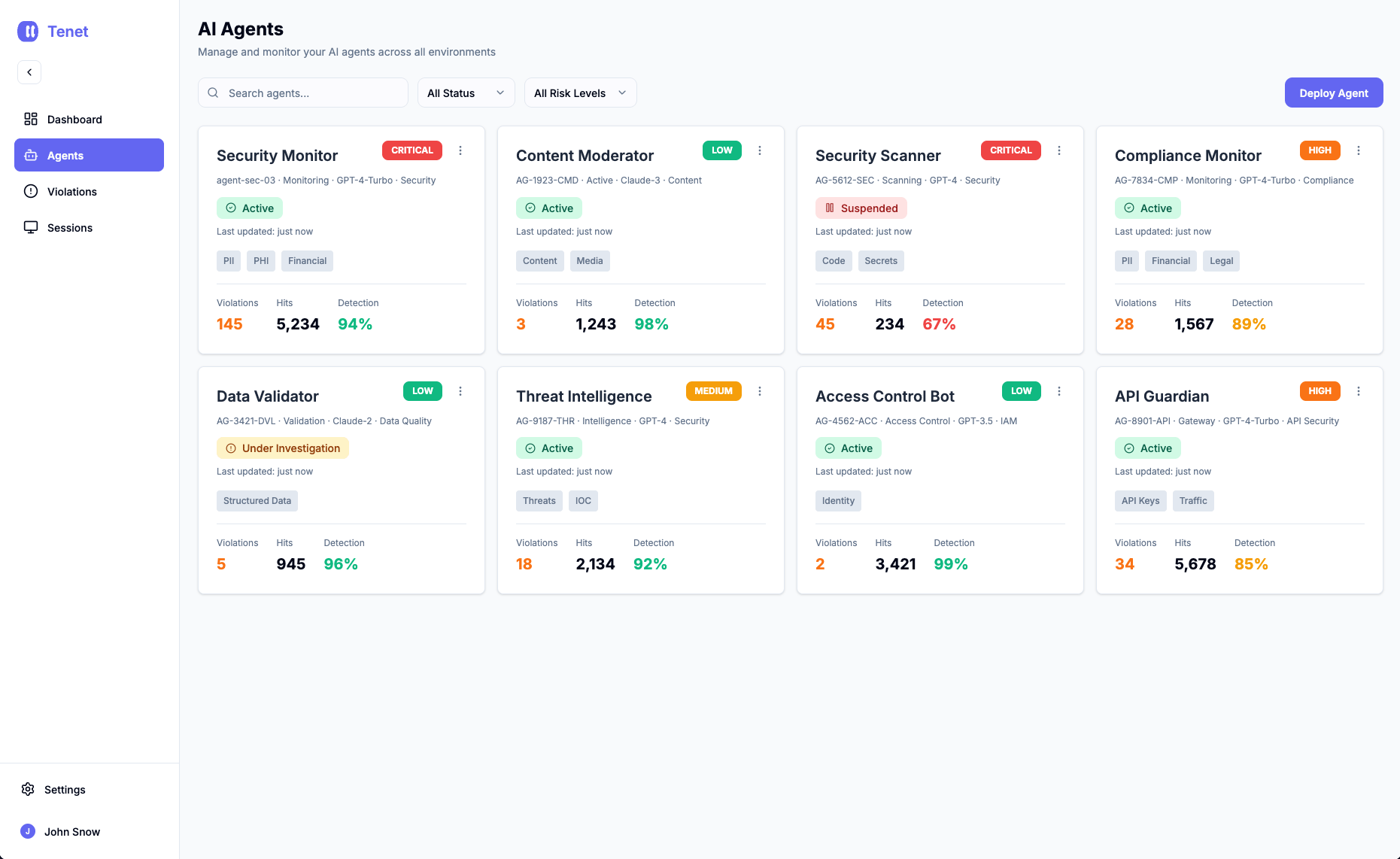
AI Agents feature for MVP
Intro
I shipped an MVP in one week that maintained full design system compliance, gathered real user feedback, and validated core assumptions before we committed engineering resources.
Part 1
The Challenge
Why we built it?
The AI agents inventory feature reached MVP in one week. Not a polished production release—an MVP that was good enough to put in front of real users and clients for feedback. But here's what mattered to me as a product designer: it maintained design system consistency, proper token usage, and visual quality standards. It wasn't just functional—it looked and felt like our product.
One year ago, this would have taken 2-3 weeks minimum. And we wouldn't have gotten client feedback until much later, after investing far more time.
The goal wasn't perfection. It was getting something testable in front of security teams fast enough to learn what actually matters—without sacrificing the design quality I needed as acceptance criteria.
The Problem
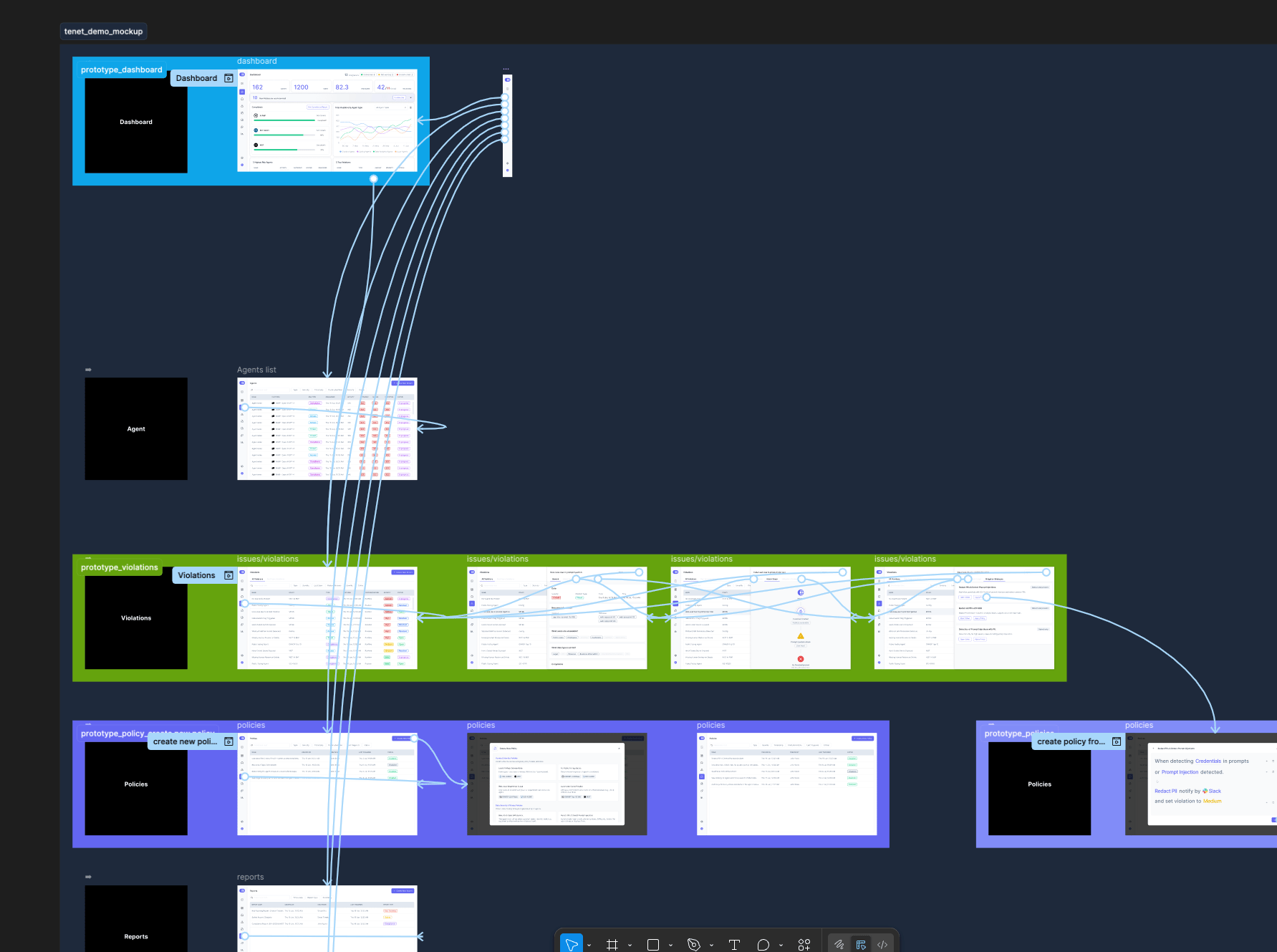
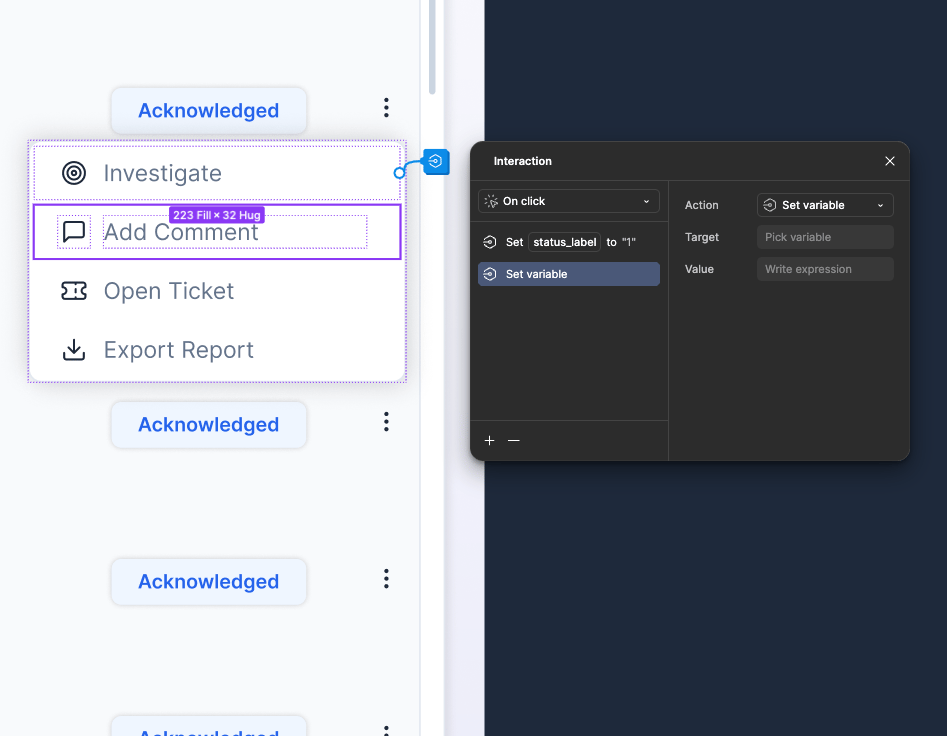
Figma Prototypes Traditional Node based feature was very time consuming and pretty annoying. It was great for small features but when it comes to complex data systems that need to
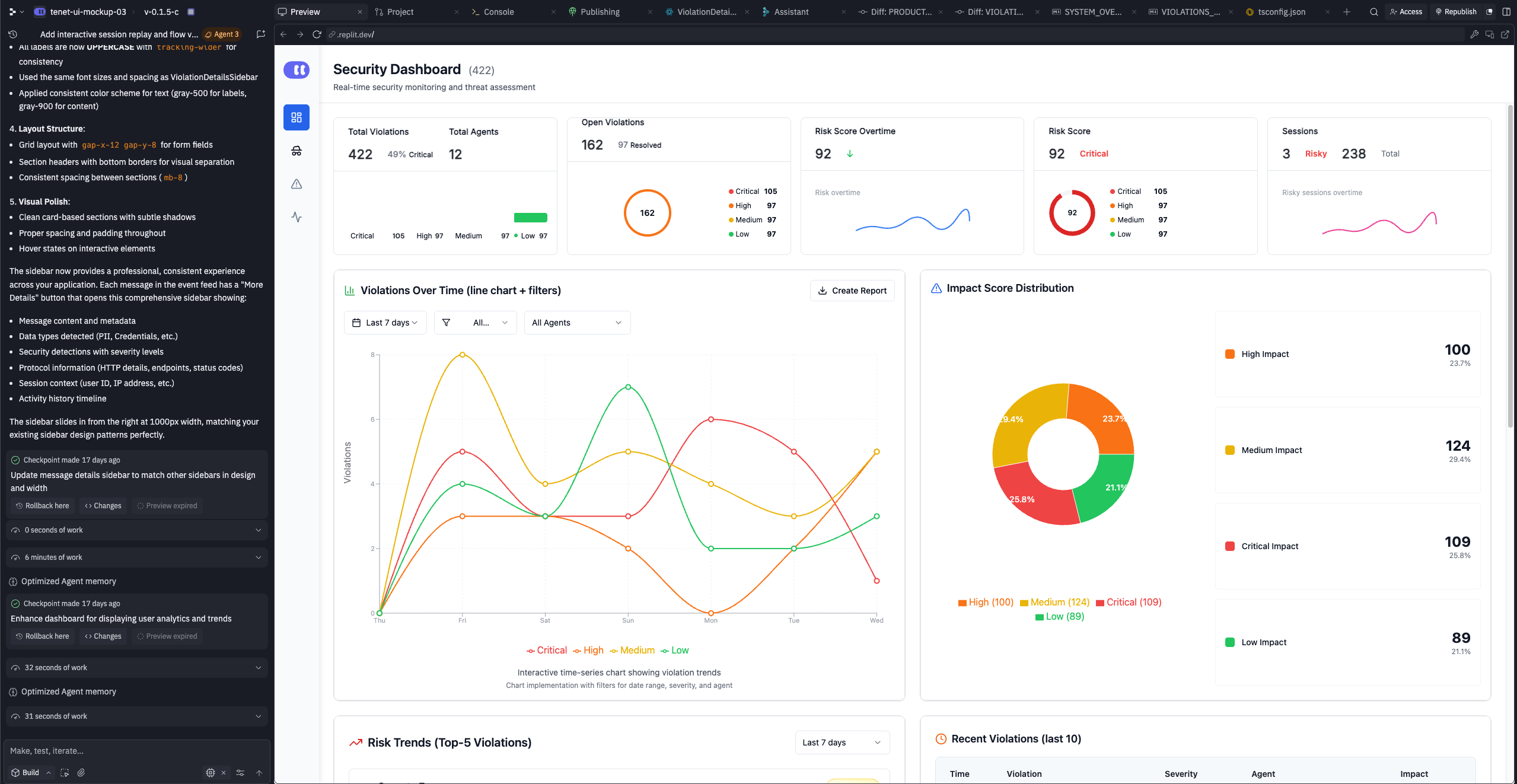
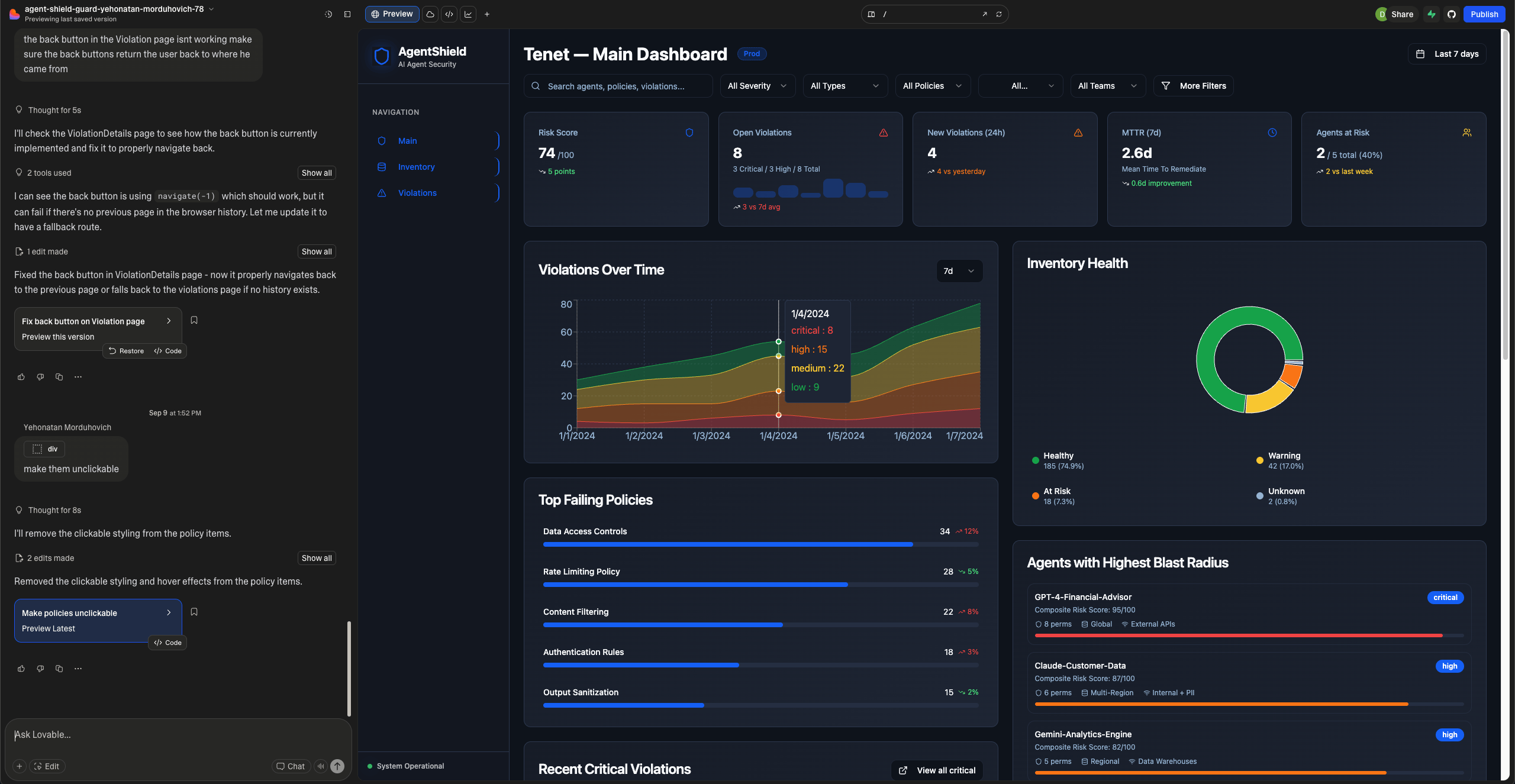
I spent weeks trying browser-based AI coding tools. They were fast. Type a description, get instant code in seconds. But every output was different. Random color values instead of design tokens. Inconsistent spacing that violated our 8px grid. Component structures that didn't match our patterns. Typography that ignored our type scale. The code
The goal wasn't perfection. It was getting something testable in front of security teams fast enough to learn what actually matters—without sacrificing the design quality I needed as acceptance criteria.
Same prompt, different result. Random hex values instead of our design tokens. Spacing that ignored our 8px grid. Typography that didn't follow our scale.
Part 2
The Breakthrough
JSON Prompts changed everything
I realized that I have a lot of raw materials that Figma can provide and all my designs in Figma are connected to well maintained design system.
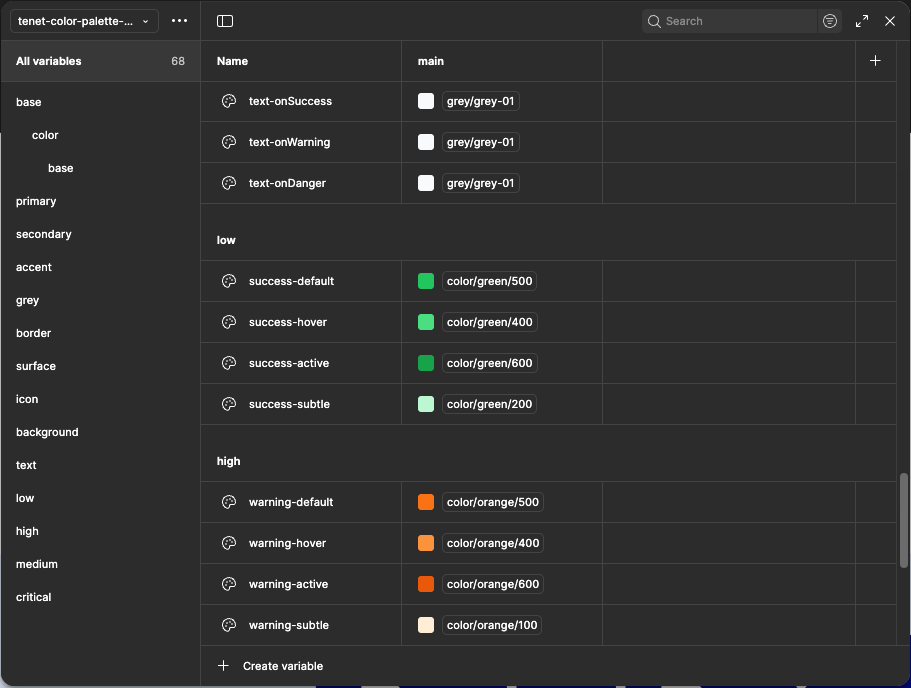
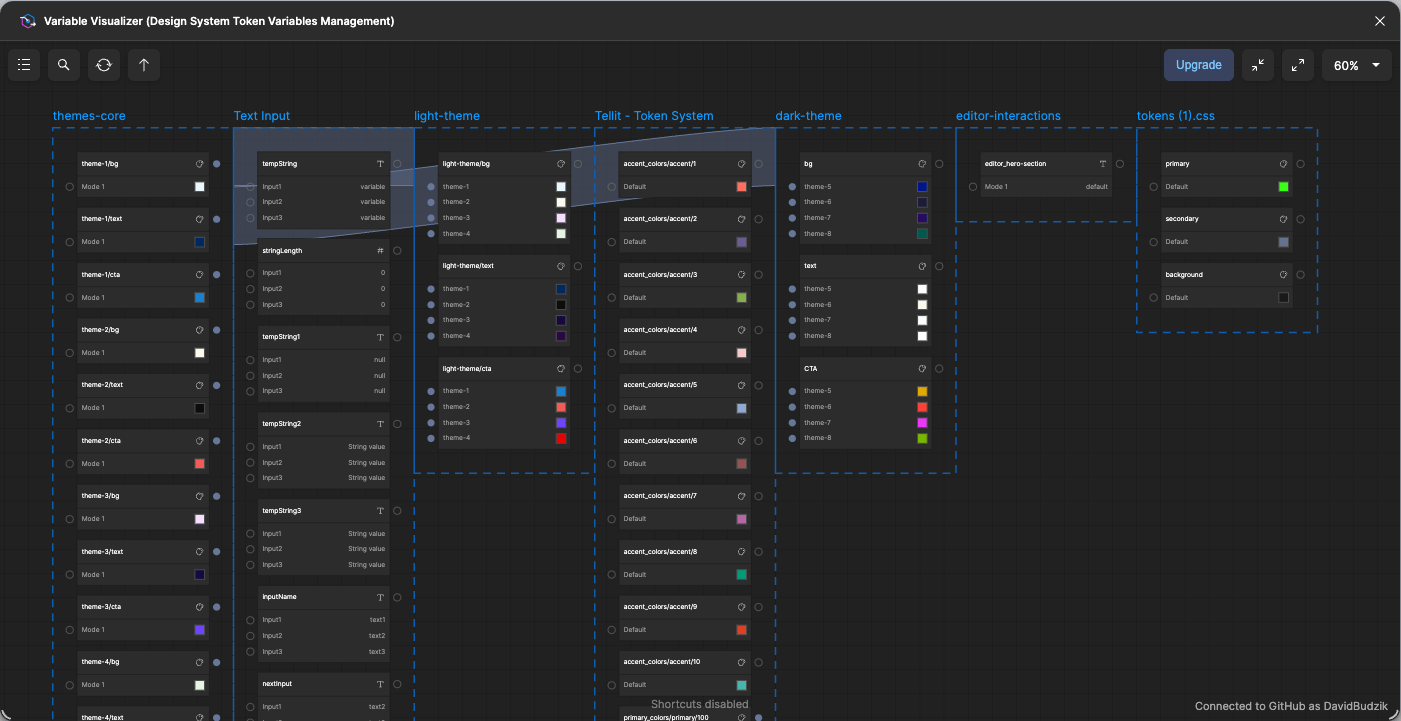
Figma Variables and Tokens
When you give AI structured data instead of prose, it stops guessing and starts executing precisely. I could specify exact design tokens, spacing values from our grid system, typography scales, and component states—ensuring visual quality wasn't sacrificed for speed.
With the assistance of AI tools like Claude Desktop and MCP Figma, I decided it was worthwhile to give this a shot. Their capabilities sparked my interest and encouraged me to explore further.
I created a “Skill” document and uploaded to Claude Desktop.

This skill enables Claude to transform screenshots or text descriptions into comprehensive, organized prompt packages for design and development workflows. The output bridges the gap between visual/conceptual ideas and actionable implementation across Figma, Cursor, and v0.dev.
Instead of
"make a blue button with rounded corners"
Instead of "make a blue button with rounded corners," I created JSON prompts with exact specifications: component type, design token references (not arbitrary values), measurements, state variations, accessibility requirements.
I could specify exact design tokens, spacing values from our grid system, typography scales, and component states—ensuring visual quality wasn't sacrificed for speed.
When you give AI structured data instead of prose, it stops guessing and starts executing precisely.
Part 3
The Complete Workflow
With JSON prompts as the foundation, I built a system:
- Design Token Foundation
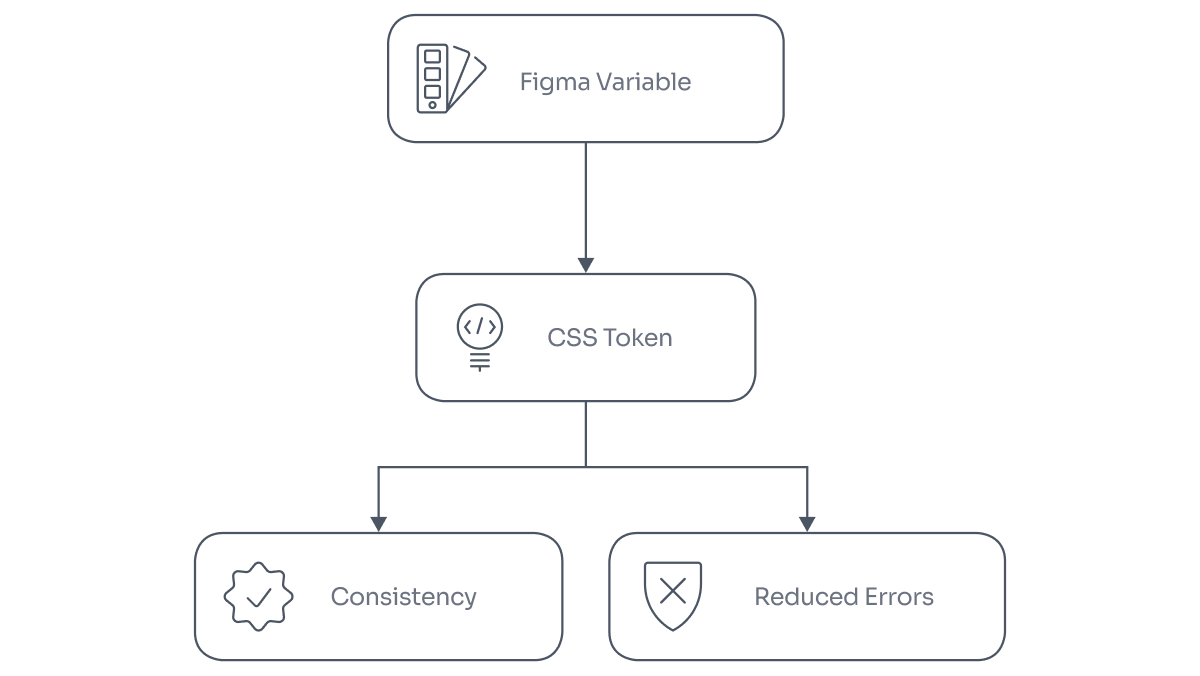
First, I mapped every Figma variable to its CSS token with exact syntax:
This shared vocabulary became the bridge between design and code.
Design Token Mapping Process
- Claude Skills - for JSON creation
I created a Claude skill that standardizes how I generate JSON specifications from wireframes. Every concept starts with structured data—before any visual work begins.
This shared vocabulary became the bridge between design and code.
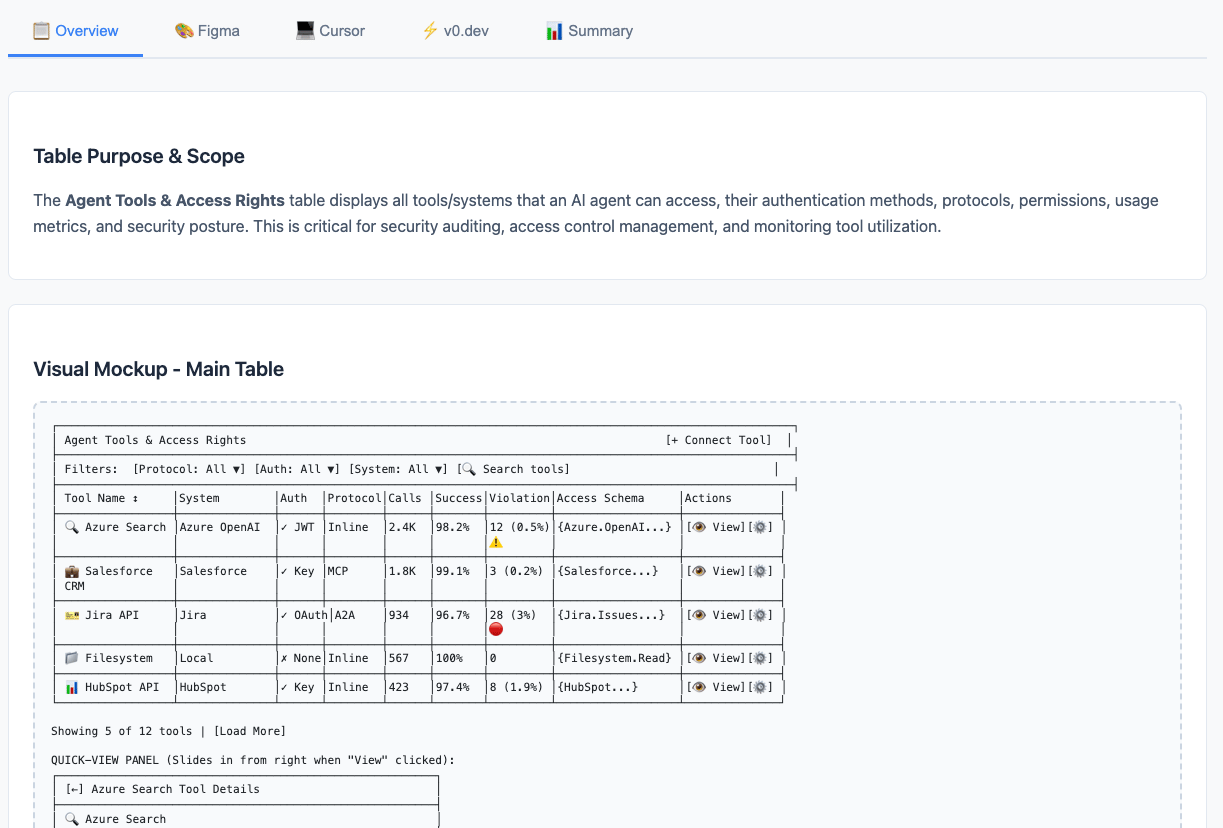
The results were outstanding! I received well-structured materials that precisely addressed the product requirements while ensuring design consistency.
- Figma Make - for Mockups
With JSON specifications in hand, Figma Make generates design-system-connected mockups. The structured data guides precise visual components that properly reference design tokens.
This shared vocabulary became the bridge between design and code.
- Cursor with MCP for composing
Through Model Context Protocol, Cursor accesses Figma designs directly, pulls Code Connect mappings, and handles final composing—all while maintaining design system consistency.
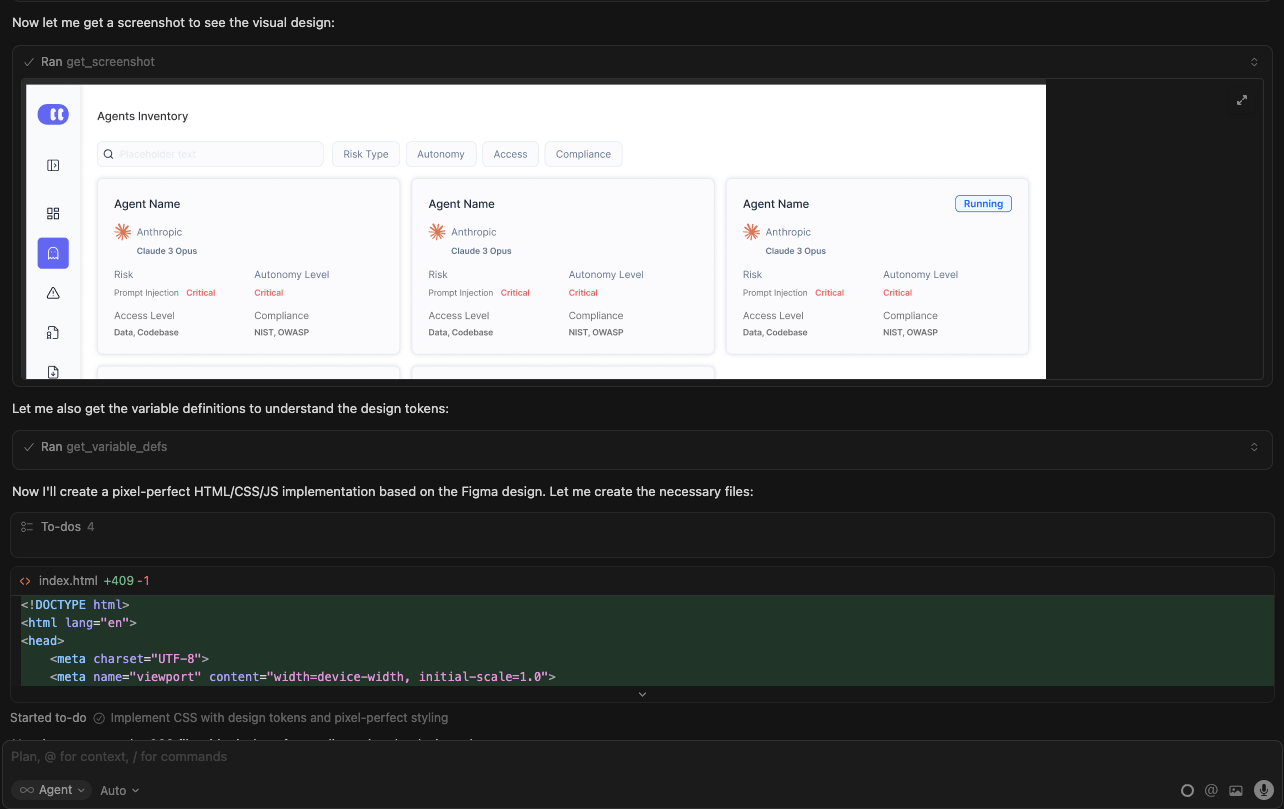
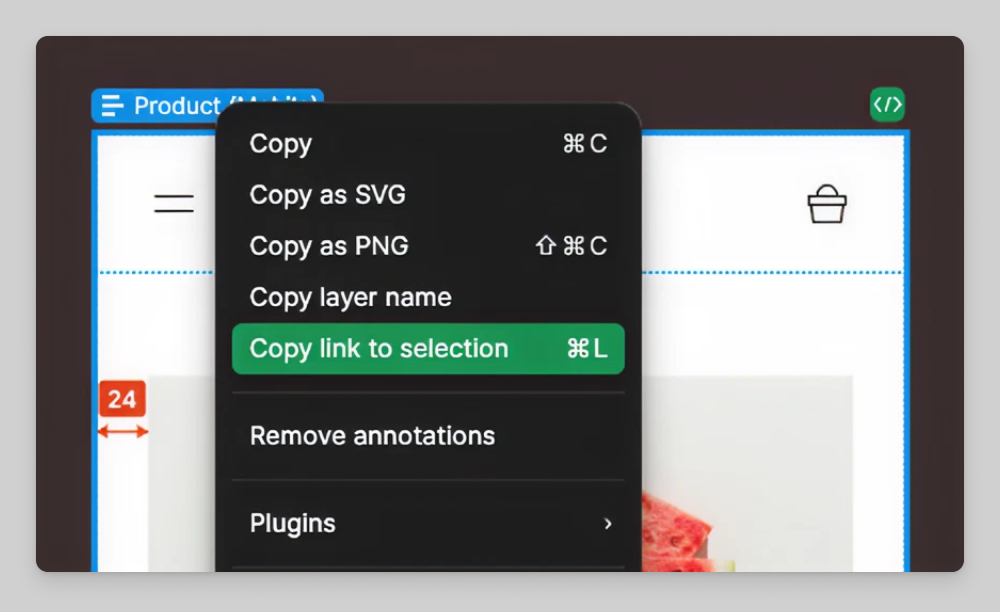
Cursor handles final composing. Through Figma MCP, Cursor accesses design context directly, pulls token mappings and help to compose components into our codebase without compromising . on design system implementation.
Actual Workflow
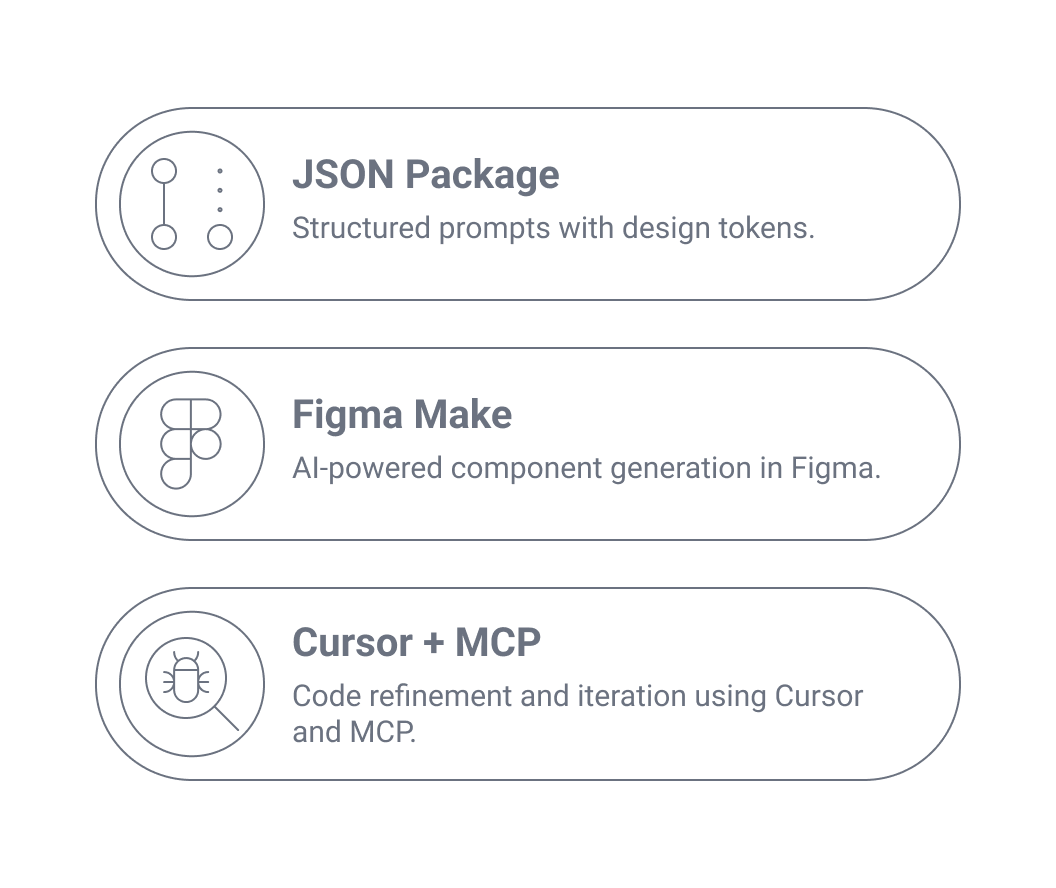
Suddenly I could explore 2-3 concepts during discovery instead of committing to one. Each came with complete specifications, ready for implementation.
Part 4
How it Actually Worked?

Week 1 - MVP Development
Wireframe sketches → JSON prompt packages → Figma Make mockups → Cursor composing → working MVP. Design-system aligned and functional enough for user testing.
Week 2 - Client Feedback
Deploy to select clients → first feedback round reveals what monitoring features security teams actually need → iterate using the same workflow (JSON updates flow through to code) → second feedback round confirms we're solving real problems.
Tools
Tokens were exported via Tokens Studio as platform-agnostic JSON. This allowed seamless integration with design files and frontend code. Tokens synced automatically via GitHub Actions into the codebase.
Client feedback revealed which AI agent monitoring features actually mattered. We validated core assumptions before investing in full production development.
The AI agents inventory feature went live to select clients for beta testing.
Client feedback revealed which AI agent monitoring features actually mattered. We validated core assumptions before investing in full production development.
Suddenly I could explore 2-3 concepts during discovery instead of committing to one. Each came with complete specifications, ready for implementation.
Part 5
Reflection
The system enables rapid iteration from concept through delivery, with design system consistency maintained throughout the process.
This is a sincere analysis of my recent explorations
Effective Approaches
- Token-first methodology: Aligning Figma variables with CSS tokens provided the foundation for the system
- Integration over generation: Connecting AI tools to existing systems (via MCP) proved more valuable than standalone code generation
- Figma Make + Cursor orchestration: Combining specialized tools for component generation and feature integration maintained both speed and quality
- Structured governance: Claude skills and CLAUDE.md files ensured consistency across iterations
What Didn't Work
- Browser-based vibe coding tools: Quick to start but produced inconsistent, throwaway code that couldn't integrate with our design system or application architecture
- Isolated AI generation: Tools without access to our codebase, design tokens, or component libraries generated code that required complete rewrites
- Speed without structure: Fast iteration meant nothing when output lacked the depth and consistency required for SaaS applications
Unexpected Findings
- Context is everything: AI tools perform dramatically better when connected to design systems and codebases through MCP rather than working in isolation
- Multiple tool orchestration: Starting with JSON prompts, then Figma Make mockups, then Cursor for final composing worked better than expecting one tool to do everything
- Real feature validation: The AI agents inventory feature delivery (1 week, R&D approved) proved the workflow's production viability beyond prototyping
Key Learning
Integration beats generation: AI tools succeed when integrated with existing design systems and codebases, not when generating code in isolation. Browser-based tools offered speed but lacked the context, consistency, and depth needed for SaaS applications. The winning approach connects design directly to code through structured tokens, MCP integration, and tool orchestration.
Implementation Guidelines and Tips
- Integrate AI with existing systems: Connect tools to your design system and codebase through MCP rather than using isolated browser-based generators. Context is everything.
- Build design token alignment first: Map Figma variables to CSS tokens before attempting AI-assisted development. This foundation enables consistency.
- Orchestrate specialized tools: Start with JSON prompts via Claude Skills, use Figma Make for design-system-connected mockups, then Cursor with MCP for final composing and version management. Each tool for its strength.
- Avoid browser-based vibe coding tools: They offer speed but produce throwaway code lacking design system integration and depth for SaaS applications.
- Validate with real features: Test the workflow on actual product features, not just prototypes. Get R&D team feedback to ensure production viability.
- Structure AI guidance: Use Claude skills and CLAUDE.md files to maintain consistency and quality standards across iterations.
- Measure feature delivery time: Track how quickly you can ship real features with team approval, not just prototype generation speed.
Core Principle
AI tools succeed through integration with your systems, not isolation. Speed without structure creates throwaway code; integration with design systems creates production-ready features.
This case study documents 3 months of experimentation and iteration. The workflow continues to develop as AI tools improve and new capabilities become available.
Let’s work together
Case Study
From Static Mockups to Live Prototypes
How I eliminated the design-to-code gap using AI-assisted workflows that deliver working prototypes in hours instead of weeks
AI Agents feature for MVP
Intro
I shipped an MVP in one week that maintained full design system compliance, gathered real user feedback, and validated core assumptions before we committed engineering resources.
Part 1
The Challenge
Why we built it?
The AI agents inventory feature reached MVP in one week. Not a polished production release—an MVP that was good enough to put in front of real users and clients for feedback. But here's what mattered to me as a product designer: it maintained design system consistency, proper token usage, and visual quality standards. It wasn't just functional—it looked and felt like our product.
One year ago, this would have taken 2-3 weeks minimum. And we wouldn't have gotten client feedback until much later, after investing far more time.
The goal wasn't perfection. It was getting something testable in front of security teams fast enough to learn what actually matters—without sacrificing the design quality I needed as acceptance criteria.
The Problem
Figma Prototypes Traditional Node based feature was very time consuming and pretty annoying. It was great for small features but when it comes to complex data systems that need to
I spent weeks trying browser-based AI coding tools. They were fast. Type a description, get instant code in seconds. But every output was different. Random color values instead of design tokens. Inconsistent spacing that violated our 8px grid. Component structures that didn't match our patterns. Typography that ignored our type scale. The code
The goal wasn't perfection. It was getting something testable in front of security teams fast enough to learn what actually matters—without sacrificing the design quality I needed as acceptance criteria.
Same prompt, different result. Random hex values instead of our design tokens. Spacing that ignored our 8px grid. Typography that didn't follow our scale.
Part 2
The Breakthrough
JSON Prompts changed everything
I realized that I have a lot of raw materials that Figma can provide and all my designs in Figma are connected to well maintained design system.
Figma Variables and Tokens
When you give AI structured data instead of prose, it stops guessing and starts executing precisely. I could specify exact design tokens, spacing values from our grid system, typography scales, and component states—ensuring visual quality wasn't sacrificed for speed.
With the assistance of AI tools like Claude Desktop and MCP Figma, I decided it was worthwhile to give this a shot. Their capabilities sparked my interest and encouraged me to explore further.
I created a “Skill” document and uploaded to Claude Desktop.
This skill enables Claude to transform screenshots or text descriptions into comprehensive, organized prompt packages for design and development workflows. The output bridges the gap between visual/conceptual ideas and actionable implementation across Figma, Cursor, and v0.dev.
Instead of
"make a blue button with rounded corners"
Instead of "make a blue button with rounded corners," I created JSON prompts with exact specifications: component type, design token references (not arbitrary values), measurements, state variations, accessibility requirements.
I could specify exact design tokens, spacing values from our grid system, typography scales, and component states—ensuring visual quality wasn't sacrificed for speed.
When you give AI structured data instead of prose, it stops guessing and starts executing precisely.
Part 3
The Complete Workflow
With JSON prompts as the foundation, I built a system:
- Design Token Foundation
First, I mapped every Figma variable to its CSS token with exact syntax:
This shared vocabulary became the bridge between design and code.
Design Token Mapping Process
- Claude Skills - for JSON creation
I created a Claude skill that standardizes how I generate JSON specifications from wireframes. Every concept starts with structured data—before any visual work begins.
This shared vocabulary became the bridge between design and code.
The results were outstanding! I received well-structured materials that precisely addressed the product requirements while ensuring design consistency.
- Figma Make - for Mockups
With JSON specifications in hand, Figma Make generates design-system-connected mockups. The structured data guides precise visual components that properly reference design tokens.
This shared vocabulary became the bridge between design and code.
- Cursor with MCP for composing
Through Model Context Protocol, Cursor accesses Figma designs directly, pulls Code Connect mappings, and handles final composing—all while maintaining design system consistency.
Cursor handles final composing. Through Figma MCP, Cursor accesses design context directly, pulls token mappings and help to compose components into our codebase without compromising . on design system implementation.
Actual Workflow
Suddenly I could explore 2-3 concepts during discovery instead of committing to one. Each came with complete specifications, ready for implementation.
Part 4
How it Actually Worked?
Week 1 - MVP Development
Wireframe sketches → JSON prompt packages → Figma Make mockups → Cursor composing → working MVP. Design-system aligned and functional enough for user testing.
Week 2 - Client Feedback
Deploy to select clients → first feedback round reveals what monitoring features security teams actually need → iterate using the same workflow (JSON updates flow through to code) → second feedback round confirms we're solving real problems.
Tools
Tokens were exported via Tokens Studio as platform-agnostic JSON. This allowed seamless integration with design files and frontend code. Tokens synced automatically via GitHub Actions into the codebase.
Client feedback revealed which AI agent monitoring features actually mattered. We validated core assumptions before investing in full production development.
The AI agents inventory feature went live to select clients for beta testing.
Client feedback revealed which AI agent monitoring features actually mattered. We validated core assumptions before investing in full production development.
Suddenly I could explore 2-3 concepts during discovery instead of committing to one. Each came with complete specifications, ready for implementation.
Part 5
Reflection
The system enables rapid iteration from concept through delivery, with design system consistency maintained throughout the process.
This is a sincere analysis of my recent explorations
Effective Approaches
- Token-first methodology: Aligning Figma variables with CSS tokens provided the foundation for the system
- Integration over generation: Connecting AI tools to existing systems (via MCP) proved more valuable than standalone code generation
- Figma Make + Cursor orchestration: Combining specialized tools for component generation and feature integration maintained both speed and quality
- Structured governance: Claude skills and CLAUDE.md files ensured consistency across iterations
What Didn't Work
- Browser-based vibe coding tools: Quick to start but produced inconsistent, throwaway code that couldn't integrate with our design system or application architecture
- Isolated AI generation: Tools without access to our codebase, design tokens, or component libraries generated code that required complete rewrites
- Speed without structure: Fast iteration meant nothing when output lacked the depth and consistency required for SaaS applications
Unexpected Findings
- Context is everything: AI tools perform dramatically better when connected to design systems and codebases through MCP rather than working in isolation
- Multiple tool orchestration: Starting with JSON prompts, then Figma Make mockups, then Cursor for final composing worked better than expecting one tool to do everything
- Real feature validation: The AI agents inventory feature delivery (1 week, R&D approved) proved the workflow's production viability beyond prototyping
Key Learning
Integration beats generation: AI tools succeed when integrated with existing design systems and codebases, not when generating code in isolation. Browser-based tools offered speed but lacked the context, consistency, and depth needed for SaaS applications. The winning approach connects design directly to code through structured tokens, MCP integration, and tool orchestration.
Implementation Guidelines and Tips
- Integrate AI with existing systems: Connect tools to your design system and codebase through MCP rather than using isolated browser-based generators. Context is everything.
- Build design token alignment first: Map Figma variables to CSS tokens before attempting AI-assisted development. This foundation enables consistency.
- Orchestrate specialized tools: Start with JSON prompts via Claude Skills, use Figma Make for design-system-connected mockups, then Cursor with MCP for final composing and version management. Each tool for its strength.
- Avoid browser-based vibe coding tools: They offer speed but produce throwaway code lacking design system integration and depth for SaaS applications.
- Validate with real features: Test the workflow on actual product features, not just prototypes. Get R&D team feedback to ensure production viability.
- Structure AI guidance: Use Claude skills and CLAUDE.md files to maintain consistency and quality standards across iterations.
- Measure feature delivery time: Track how quickly you can ship real features with team approval, not just prototype generation speed.
Core Principle
AI tools succeed through integration with your systems, not isolation. Speed without structure creates throwaway code; integration with design systems creates production-ready features.
This case study documents 3 months of experimentation and iteration. The workflow continues to develop as AI tools improve and new capabilities become available.
Let’s work together